
Standby Power: 6 Simple Ways to Cut “Phantom” Electricity from Devices You Aren’t Using
Standby power, sometimes called phantom or vampire power, is the electricity devices quietly keep using after you switch them off but leave them plugged in. The TV still shows a red light, the set-top box stays warm, the charger sits in the wall all day: each uses only a little, but they run 24 hours a day.
This guide explains where standby power comes from, which devices create the biggest phantom load, and 6 simple ways to cut this invisible cost without making life less convenient.
Contents: standby power
1. What is standby power, and how much does it cost?
Many modern devices never fully switch off. They keep part of their circuitry alive to wait for a remote signal, show a clock, stay connected to the network or start up quickly. As Wikipedia’s article on standby power describes, it is the electricity consumed by appliances while they are switched off or in standby mode.
A single device usually draws only a few watts or less. But one household can have dozens of them. Widely cited estimates suggest standby power can account for roughly 5–10% of household electricity use, depending on how many devices you have and how old they are.
Signs a device is drawing standby power
- An indicator light that stays on when it is off.
- A display or clock that is always showing.
- A remote control is used to turn it on.
- A power adapter that feels warm when nothing is running.
2. Which devices use the most standby power?
Not all devices are equal. The usual suspects at home are:
- Set-top boxes and media players: often still partly running when “off”.
- TVs, speakers and amplifiers: always waiting for the remote.
- Desktop computers, monitors and printers: sleep mode still uses power.
- Game consoles: instant-on and background downloads use more than you think.
- Microwaves, digital rice cookers and washing machines: displays and control boards run constantly.
💡 Quick tip: If you have a plug-in power meter, test each device while it is switched off. You will see exactly which ones are worth cutting off.
3. 6 ways to cut standby power at home
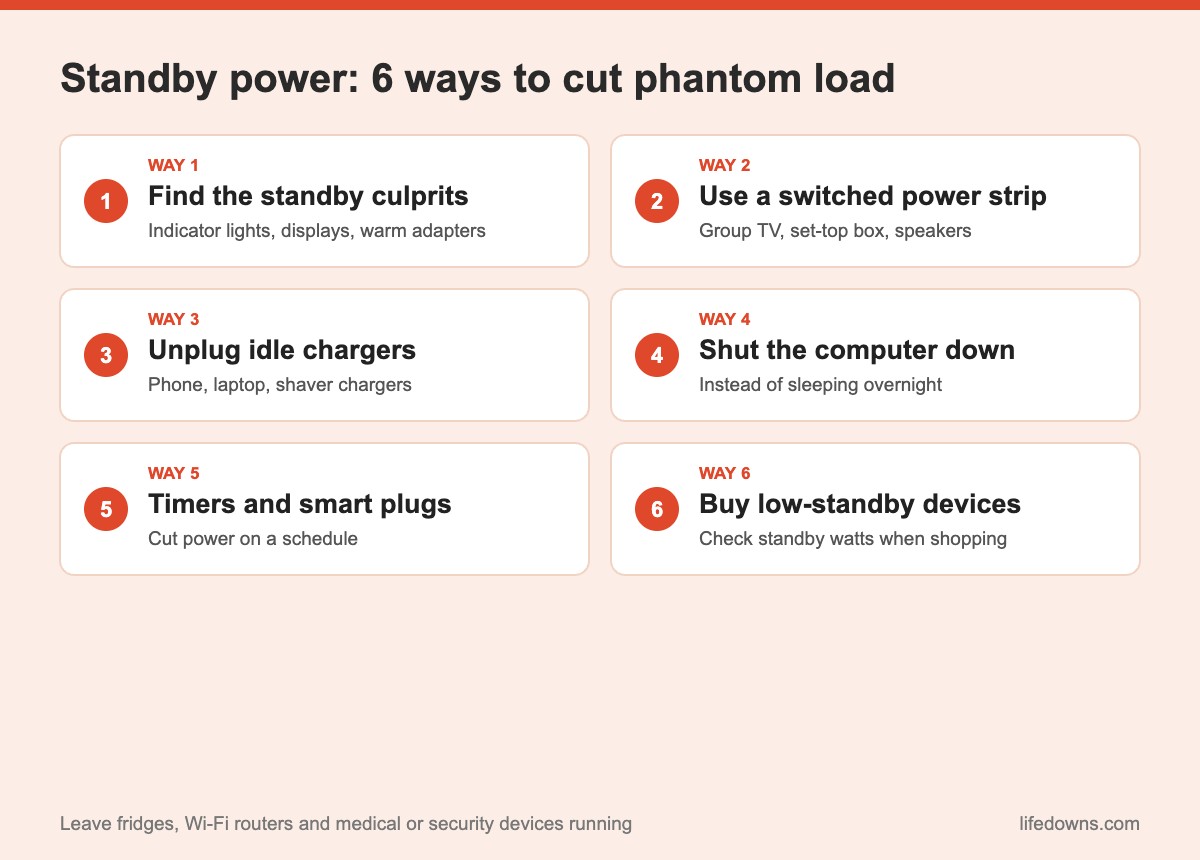
Way 1: Walk around and find the culprits
In the evening, turn off the lights and walk through your home. Every little red or green dot still glowing is a device using standby power. Make a list room by room: living room, desk, kitchen.
Way 2: Use a switched power strip
Plug your TV, set-top box, speakers and console into one power strip with a switch. Before bed or when you leave, flip one switch to cut them all. It is the easiest way to cut standby power because you do not have to pull each plug.
Way 3: Unplug chargers you aren’t using
Phone, laptop, shaver and electric toothbrush chargers still draw a little electricity when left in the wall. It is a small amount, but unplugging them also helps them last longer and is safer.
Way 4: Shut down your computer and peripherals
Instead of leaving your computer asleep overnight, shut it down properly and switch off the strip for the whole setup: tower, monitor, speakers and printer. For laptops, unplug the charger when the battery is full and you are not using it.
Way 5: Use timers or smart plugs
Mechanical timer plugs are cheap and cut power during hours you set, such as 11pm to 6am. Smart plugs let you switch things on and off from your phone and schedule them around your routine. They suit water dispensers, water heaters and decorative lights.
Way 6: Choose low-standby devices when you buy new
When buying a new TV, set-top box or computer, check the standby power figure in the specifications and on the energy label. Newer devices usually use far less in standby than older ones.
💡 Note: TVs and consoles often have a “quick start” or “instant on” setting. Turning it off reduces standby power in exchange for a start-up that takes a few seconds longer.
4. Which devices should stay plugged in?
- Fridges and freezers: they must run constantly to keep food safe.
- Wi-Fi router: if you have cameras, smart devices or someone who needs the internet at night.
- Medical and security devices: breathing machines, cameras, smoke alarms.
- Devices mid-update: wait until the software update finishes.
5. The bottom line: cutting standby power is saving without sacrifice
Cutting standby power does not make your home hotter or darker, because it is electricity that gives you nothing in return. A few switched power strips and the habit of flipping them off before bed are enough to make your bill a little lighter every month.
Summary table: what to do by device
| Device | Standby use | What to do | Notes |
|---|---|---|---|
| TV, set-top box, speakers | Medium – high | Switched power strip | Off at bedtime and when out |
| Computer, monitor, printer | Medium | Shut down, then switch off | Save your work first |
| Game console | Medium – high | Turn off “instant on” | Cut power when not playing |
| Phone and laptop chargers | Low | Unplug when idle | Safer and longer-lasting |
| Microwave, digital rice cooker | Low | Unplug or use a switched strip | You lose the clock display |
| Fridge, router | Needs to run | Leave as is | Do not cut power |
Note: Actual standby use varies by brand and model; check the manufacturer’s specifications for exact figures.
A few final tips
- Start in the living room: It usually has the most standby devices.
- Label your power strips: Know which switch controls what.
- Don’t overload strips: Use certified ones with enough capacity.
- Watch your bill: Compare after a month or two to see the effect.
More from our Energy section: Fridge energy saving: 7 simple ways and High electricity bill in the hot season: what to adjust.
FAQ about standby power
What is standby power?
Standby power is the electricity a device uses when it is switched off or in standby mode but still plugged in, such as a TV waiting for the remote, a set-top box, a charger with nothing attached or a microwave showing the clock.
How much does standby power cost?
Each device uses very little, but many devices running 24/7 add up. Widely cited estimates put standby power at roughly 5–10% of household electricity use.
Should I unplug everything when I leave home?
Switch off or unplug things that do not need to run, such as TVs, speakers, chargers and computers. Do not unplug the fridge, and keep your router and security cameras on if you need them.
Does unplugging devices often damage them?
For most household devices, no. A switched power strip is more convenient and safer than pulling plugs repeatedly. Shut computers down properly before cutting power.
How many little lights stay on in your home when everything is “off”? Count them tonight and share your number in the comments! Save this post and tackle standby power one room at a time. 🔌💡