
Desk Posture: 6 Easy Adjustments to Ease Neck and Shoulder Strain
Eight hours in a chair and your neck, shoulders and lower back ache? In most cases the problem is not a cheap or expensive chair. It is a desk posture that has not been set up to fit your body.
This guide covers 6 adjustments for a better desk posture, a 1-minute self-check, and small habits that keep you comfortable through a long day.
Contents: Desk Posture
1. Why Does Desk Posture Matter?
When you lean your head toward the screen or slump, your neck and back muscles work constantly to hold you up. An hour or two is fine, but repeated every day it leads to fatigue, stiffness and pain.
The good news is that you do not need expensive equipment. You only need to adjust your chair height, screen and keyboard following common ergonomic advice, such as the Mayo Clinic office ergonomics guide.
2. 6 Adjustments for Better Desk Posture
Feet and knees
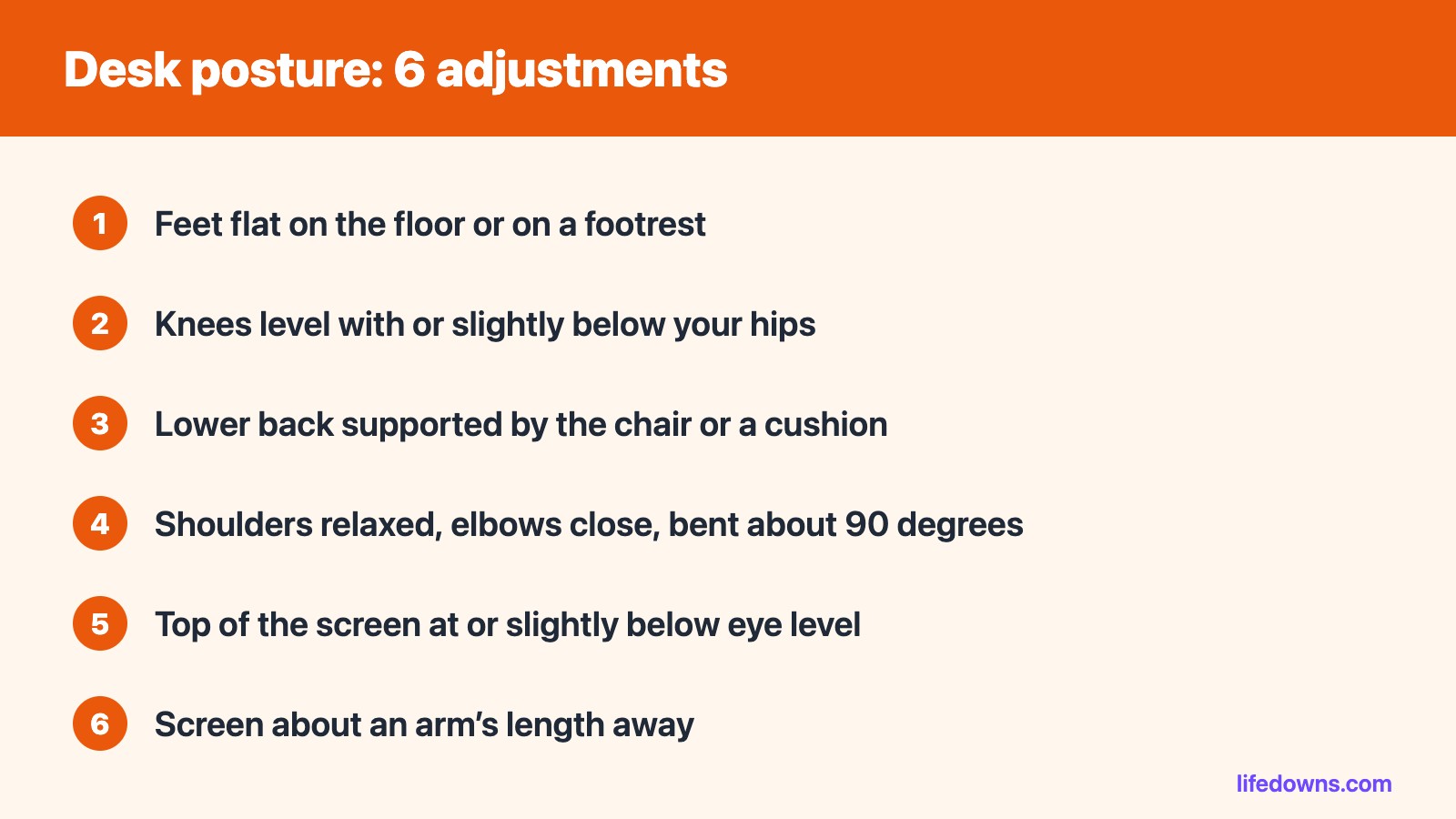
Set your chair height so both feet rest flat on the floor, your thighs are roughly parallel to it, and your knees are level with or slightly below your hips. If your feet do not reach, use a footrest.
Back and hips
Sit all the way back so your lower back is supported. If the chair has no lumbar support, a small cushion or a rolled towel behind your lower back is enough.
Shoulders, elbows and wrists
Relax your shoulders, keep your elbows close to your body and bent at about 90 degrees. Keep the keyboard and mouse on the same surface, close enough that your wrists stay straight while typing.
Screen
Place the screen directly in front of you, about an arm’s length away. The top of the screen should be at or slightly below eye level. For long laptop sessions, raise the laptop and add an external keyboard.
3. A 1-Minute Self-Check
| Body part | Warning sign | Fix |
|---|---|---|
| Neck | Chin pushed forward, looking down | Raise the screen to eye level |
| Shoulders | Hunched up toward your ears | Lower the keyboard or raise the chair |
| Wrists | Bent upward while typing | Move the keyboard closer, keep wrists straight |
| Lower back | Slumped, not touching the chair | Sit back and add lumbar support |
| Legs | Dangling or crossed for long periods | Lower the chair or use a footrest |
💡 Tip: Ask a colleague to take a side-on photo while you are focused on work. Your real posture is often very different from the one you hold when you are trying.
4. 4 Habits That Keep Your Posture Good All Day
- Change position often: no posture is good if you hold it for hours. Stand up and move for a few minutes every 30–60 minutes.
- Keep everyday items within reach: phone, notebook and water should be close so you do not stretch for them.
- Do not cradle the phone between shoulder and ear: use a headset for long calls.
- Stretch lightly: roll your shoulders, tilt your neck and extend your back whenever you stand up.
5. Summary
Good desk posture is not about sitting rigidly upright. It is about letting the chair, desk and screen support your body instead of your muscles. Adjust from the ground up: feet, hips, back, arms, then screen.
This article is general information only. If you have lasting pain, numbness or pain that keeps getting worse, see a doctor.
Read more: Morning Stretching in 5 Minutes: 6 Easy Moves You Can Do Right in Bed and Daily Walking for 30 Minutes: The Benefits and 7 Simple Tips to Keep the Habit When You Are Busy.
Frequently Asked Questions About Desk Posture
Do I need an expensive ergonomic chair?
Not necessarily. A height-adjustable chair with a lumbar cushion and a footrest solves most problems.
How should I set up a laptop?
Raise the laptop so the top of the screen is near eye level, then use an external keyboard and mouse at elbow height.
Is a standing desk better than sitting?
A standing desk makes it easier to change position, but standing still for hours is tiring too. Alternating between sitting and standing is a sensible approach.
How often should I stand up?
Stand up, walk or stretch for a few minutes after every 30–60 minutes of sitting.
Where do you feel the most strain at your desk? Tell us in the comments! 🪑💪