
“Your Account Will Be Locked” Texts: How to Spot the Scam Before You Tap
An account locked text is one of the most common scams around. “Your account will be locked within 24 hours. Please verify at…” followed by a link. Messages like this go out in bulk every day. People still tap, because they look real and because they cause panic.
Worse, some fake messages show up inside the real message thread from your bank, under the same sender name. In Vietnam, scammers have used fake mobile base stations to send spoofed texts this way. So the sender name alone is no longer a reason to trust a message.
Table of Contents
Warning signs
- Urgency. “Within 24 hours”, “immediately”, “or your account will be locked”. The goal is to stop you from thinking.
- A link. The domain looks like the bank’s name but has extra letters, swapped letters or an odd ending.
- A request for information. Password, OTP code, card number, a photo of your ID. Banks do not ask for these by text or phone.
- A follow-up call. Someone calls claiming to be from the bank, the police or the post office and walks you through steps.
What to do when you get one
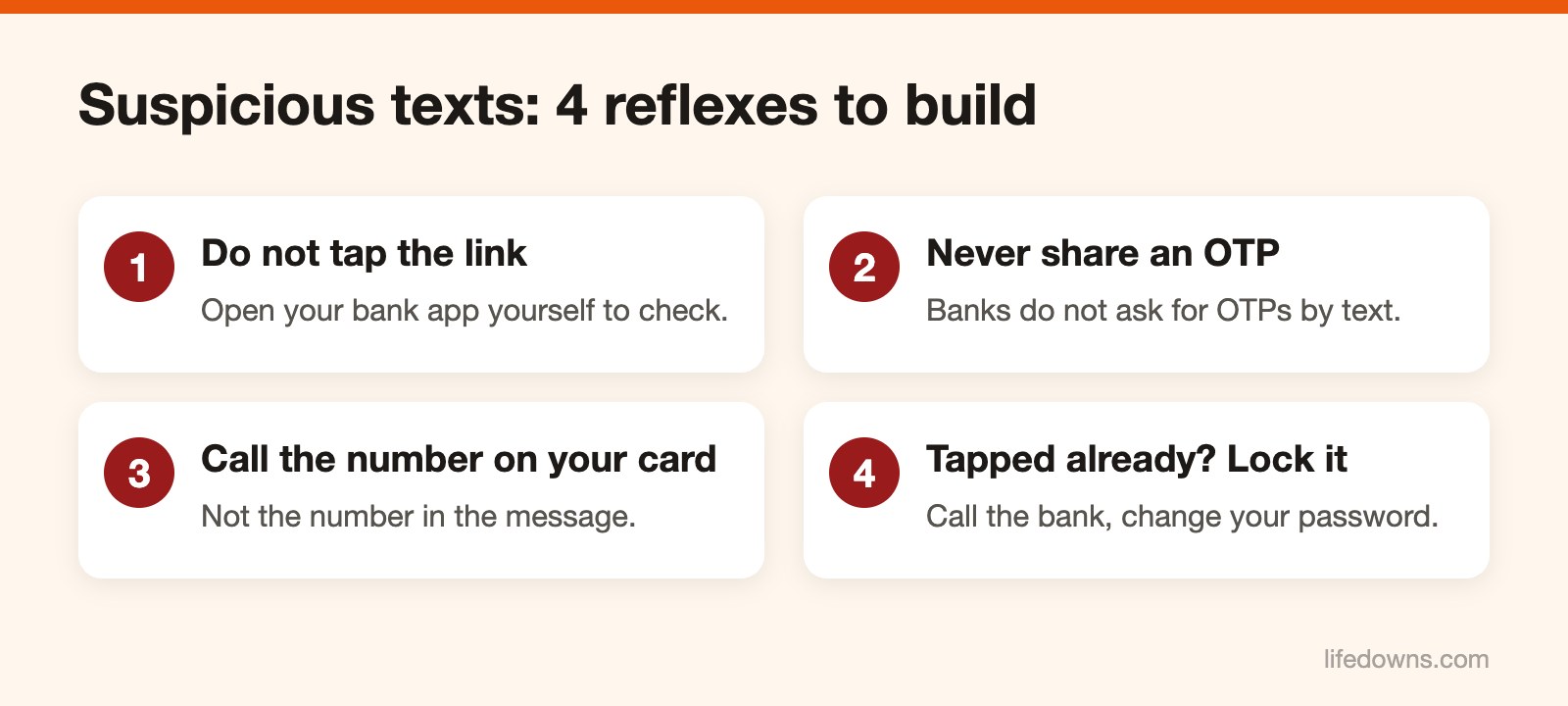
Do not tap the link. If you are worried something is wrong with your account, open the bank app on your phone yourself, or call the hotline printed on the back of your card. Do not call the number in the message.
An OTP is only for transactions you started yourself. Whoever asks for it, whatever they claim to be, do not give it. An account locked text always tries to rush you. Real banks rarely send an account locked text with a link. If you get an account locked text, open the official app yourself to check.
If you already tapped or entered details
Act now, do not wait:
- Call your bank’s hotline and ask them to freeze your account and cards.
- Change your banking password. If you use the same password for email or social media, change those too.
- If you installed an app because the message told you to, uninstall it, disconnect the phone from the internet and have someone with technical knowledge check it.
- If money is gone, report it to the police with screenshots of the message and your transaction history.
Prevent it next time
Turn on two-factor authentication for email, Facebook and Zalo. Never install apps from a link in a text; only use Google Play or the App Store. And tell your parents and grandparents about this. They are often the main targets.
Next time an account locked text arrives, stop and check using these steps. Learn more about SMS phishing, or read why you should use a password manager.